
Upload a photo and get a grid of round beads matched to Perler, Hama, or Artkal palettes. Adjust grid size, brightness, and contrast; optionally remove light backgrounds for accurate bead counts. Everything runs locally in your browser.
Perler Bead Pattern Maker
Turn any photo into a printable fuse-bead pattern with real brand colors and bead counts
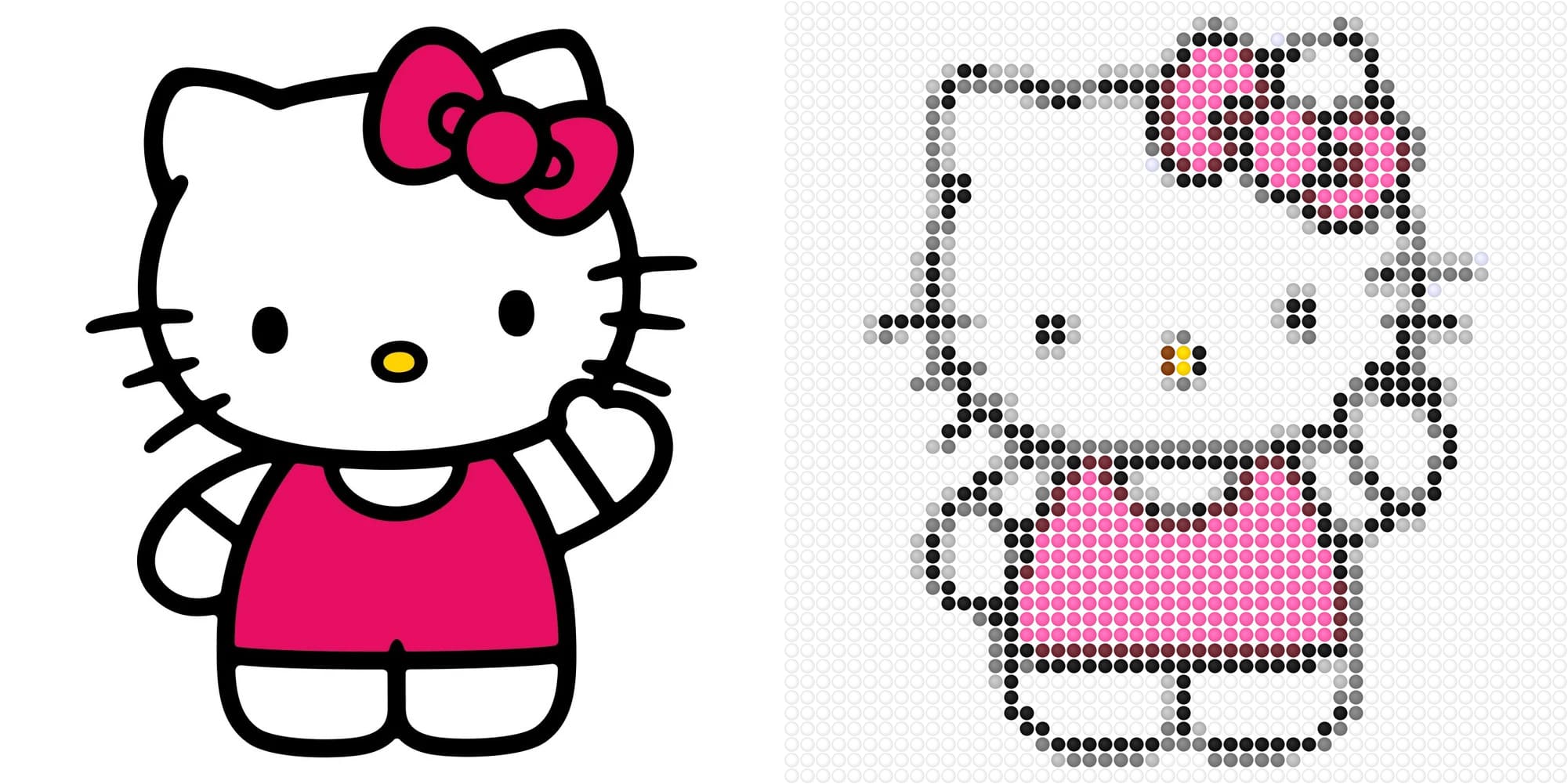
Hello Kitty original photo compared with the generated Perler bead pattern
Drag and drop an image here or click to select
Original Image

Bead Pattern Settings
Perler Bead Pattern
Bead count by color
Try a sample
No photo? Click a sample to preview instantly.


Other tools you may like
How to use
- Upload a JPG or PNG (or try a sample image)
- Choose a bead brand palette and grid size (10×10 to 100×100)
- Tune brightness and contrast; enable background removal if needed
- Click Generate to see the before/after comparison and color statistics
- Download the pattern PNG and use the bead count table when shopping
Features
- Delta E color matching to official-style Perler, Hama, and Artkal palettes
- Circular bead preview that looks like real fuse beads on a pegboard
- Automatic bead count per color code—know exactly how many to buy
- Adjustable grid width and height for simple icons or detailed portraits
- Optional background removal for cleaner patterns and counts
Tips for best results
- Cartoons and high-contrast images convert most clearly
- Start with a 40×40 or 50×50 grid for a good balance of detail and build time
- Enable remove background on photos with white or light backdrops
- Fewer colors often look cleaner—try increasing contrast before generating