
Understanding Pantone Colors: What Is a Pantone Color and How to Get Pantone Color Codes
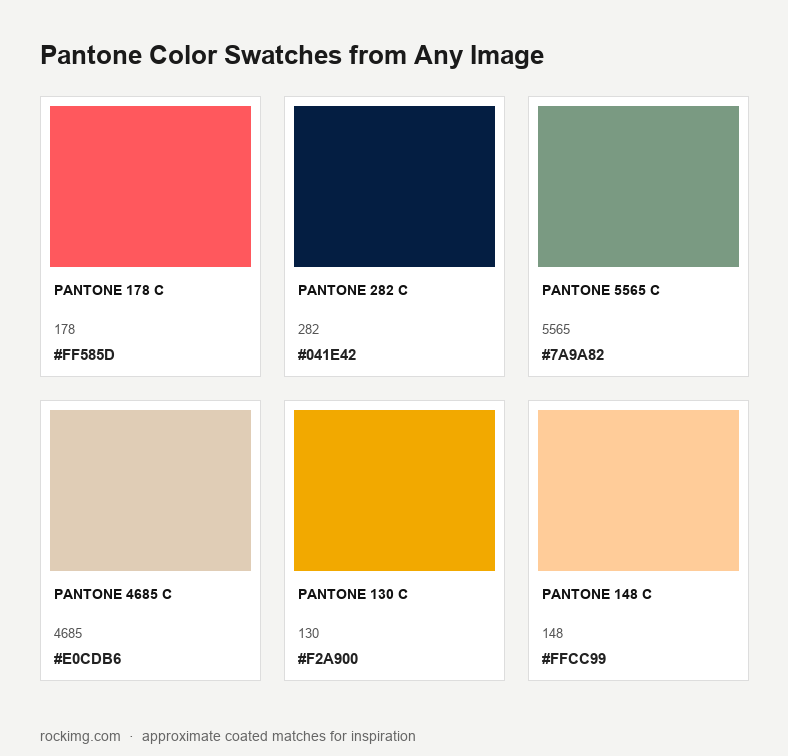
A Pantone color is a numbered, formula-backed chip in the Pantone Matching System (PMS)—a shared language so a printer in one country and a mill in another can aim at the same red. Screens still show RGB and HEX simulations; production still needs a physical guide. For mood boards and first-pass palettes, ROCKIMG’s free Pantone Color Swatches tool pulls dominant hues from any image and maps them to approximate coated-style codes in your browser. Nothing is uploaded.
Published on: August 26, 2026

Pull a palette from your own photo?
Open Pantone Color SwatchesWhat is a Pantone color?
Each Pantone number points to a fixed ink or dye formula. You send a code; a press or dye house mixes to that recipe instead of guessing from a JPEG.
Pantone LLC built the system to stop “your red / my red” fights in print. Graphic arts chips carry suffixes such as C (coated paper) and U (uncoated). Fashion, Home + Interiors chips use marks like TCX (cotton) and TPG (paper for interiors). Same family of numbers, different substrates—do not swap a C chip for a TCX dye lot and expect a match.
On a monitor you only see an RGB stand-in. Two calibrated displays can still disagree. For brand books, packaging, and apparel sampling, the physical fan deck is the contract. Pantone also names a Color of the Year; that is a marketing and trend cue, not a substitute for specifying a production code.
Graphic Arts vs Fashion, Home + Interiors
Graphic Arts (classic PMS) is for print and logos. FHI is for textiles and interiors. Read the suffix before you quote a number to a vendor.
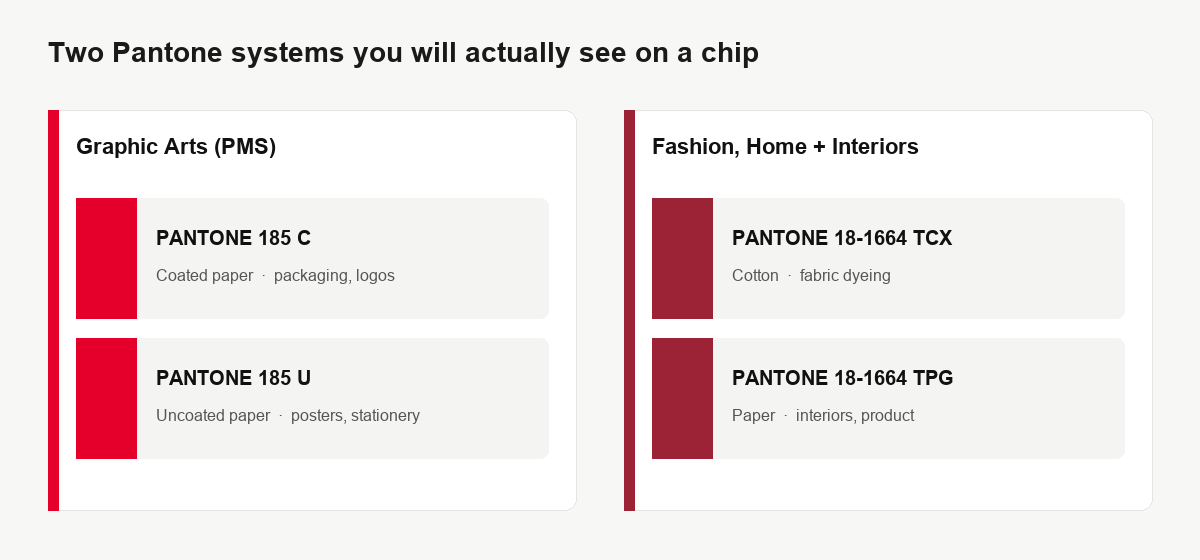
PANTONE 185 C is a common example in packaging and logo work: coated stock, glossy ink. The uncoated sibling, 185 U, sits on a more absorbent sheet and looks slightly duller. Neither is a fabric standard. A mill asking for cotton will want an FHI TCX reference, not a C chip photographed on your phone.
If you only have a HEX from a website, you still have not specified a Pantone color. HEX is a screen recipe. You can hunt a nearby chip for inspiration, then confirm on a fan deck under the lighting your printer actually uses.
How to get Pantone color codes
Buy or borrow a current physical guide for production. Use Pantone Connect or Adobe libraries for drafting. Use an image extractor when you need a fast, unofficial shortlist from a photo.
Physical color guides
Official printed books remain the first choice for press checks and fabric labs. They fade, so shops replace them on a schedule. Cost is the tradeoff: one Solid Coated book already covers most logo work; fashion teams add FHI cotton decks. If a client signs off on a chip, write that exact code—including suffix—into the spec sheet.
Pantone Connect
Pantone’s official digital lookup sits behind an account. Designers use it to search names, convert between libraries, and drop chips into Adobe apps. Some libraries need a paid seat. Even then, the pixels on screen are still a preview. Connect does not replace a fan deck at the press.
Adobe Illustrator and Photoshop libraries
Illustrator and Photoshop ship with Pantone books in the swatches panel. Handy when you are drawing a logo or mockup. Treat those swatches as a drafting aid. Exporting a PDF with a named spot color is not the same as a lab-matched drawdown.
Online image extraction (inspiration only)
When the brief is a photo—packaging on a shelf, a mood-board JPEG, a garment shot—you often want “what chips sit near these pixels?” That is a clustering problem, not a licensed conversion. ROCKIMG’s Pantone Color Swatches from Any Image does that locally: dominant colors in, nearest coated-style matches out, HEX copy and a PNG sheet. Pair it with Get Image Color if you only need a single pixel’s RGB/HEX without a Pantone-style label.
Disclaimer: ROCKIMG is not affiliated with Pantone LLC. Generated codes are algorithm approximations for design inspiration. Do not send them to a printer or mill as a production spec. Always verify against a physical Pantone guide. Pantone® is a trademark of Pantone LLC.
How to extract approximate Pantone swatches from a photo
Upload a JPG, PNG, WebP, or GIF, set Swatches to 4–12, click Create, then copy HEX or download the sheet. The path is pantone-color-swatches.html—no account.
Step 1: Open the tool and drop an image
Use the drop zone or click to pick a file. Processing stays in the browser; a refresh clears the file. Photos with distinct color regions (product packs, apparel flats, interiors) cluster more cleanly than busy street scenes.
Step 2: Choose how many chips you want
The Swatches menu sits on the same row as Create. Four chips suit a tight brand lockup. Six is a solid mood-board default. Ten or twelve help when a photo mixes neutrals plus accents—but extra slots can split one hue into near-duplicates. Start at 6, then bump the count only if a color you care about is missing.
Step 3: Create the palette
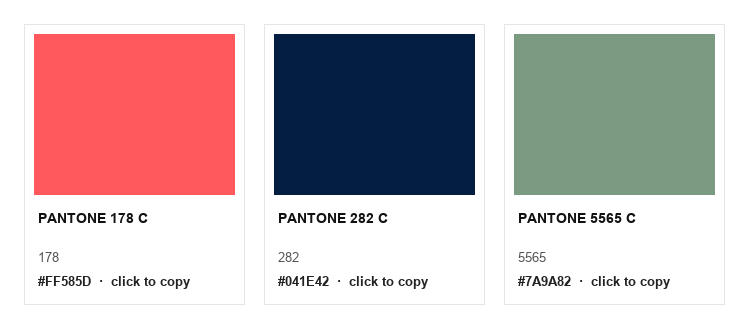
Click Create. The result card fills with chips: a color block, an approximate code (coated-style naming), a short name, and a HEX value. The empty-state line—“Your Pantone-style swatches will appear here after you create them.”—goes away once the grid is ready.
Step 4: Copy HEX or download the sheet
Click a card to copy its HEX (you will see a short “Copied!” toast). Use Download for a PNG palette titled after the tool, useful in decks and client emails. Keep the original photo; this match is a starting map, not a press proof.
Need a flat fill next? Drop a copied HEX into Solid Background Creator to mock a pack panel or slide background in the same session.
Screen RGB vs print reality
HEX and RGB describe light. Pantone formulas describe ink or dye on a specific substrate. A close HEX is still not a licensed match.
Uncoated paper drinks ink; coated paper sits on top. Cotton takes dye differently from polyester. Lighting at the press (D50 vs office LEDs) shifts what you think you approved. That is why shops insist on a current fan deck and, for critical jobs, a press proof or lab dip.
Use the online extractor to narrow the conversation—“these six chips are in the neighborhood of this photo”—then walk the client to the physical book. If the job is accessibility rather than brand ink, a simulator such as the site’s color-blindness tool is a separate check and does not replace a Pantone spec.
When this workflow helps—and when it does not
It helps for mood boards, competitor palettes, and early art direction. It does not replace a signed chip for manufacturing.
- Good fit: packaging photos, garment flats, interior stills, logo screenshots you want to explore as a shortlist.
- Weak fit: neon night photos, heavy gradients, and files already crushed by social-app compression—clusters get muddy.
- Never skip: legal brand manuals that already list official Pantone numbers. Do not “re-extract” a logo and override the brand book.
- Privacy: the ROCKIMG tool never sends the image to a server. Closing or refreshing the tab drops the pixels.
Extract approximate Pantone-style swatches from an image—free, local, in your browser.
Open Pantone Color Swatches