
How to Make Note Cards Online
Design clean, shareable note cards with a free online note card maker.
Published on: Jan 25, 2026

What Is a Note Card?
A note card is a clean, text-first image used for quotes, announcements, reminders, or social posts. With an online note card generator, you can set the background, font, and layout in minutes.
Start your first digital note card.
Open Note Card GeneratorStep-by-Step: Create a Note Card
Step 1: Write Your Message
Enter your quote, reminder, or short message in the text box. Short, focused lines read best.
Step 2: Choose Background and Style
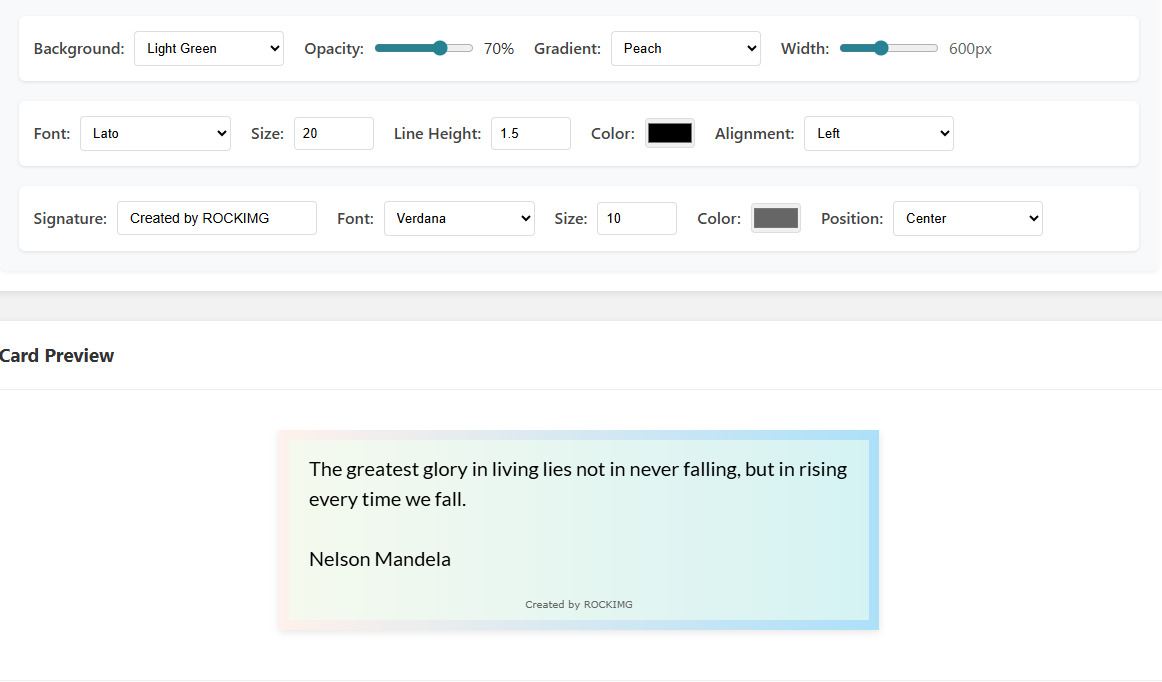
Select a solid color or gradient background. Then pick a font, size, line height, and alignment.
Almost every detail is adjustable, so you can craft the perfect card.
Step 3: Add a Signature
Use the signature field for a name, brand, or credit line. You can style it separately from the main text.
Step 4: Export Your Note Card
When the preview looks right, download the image and share it anywhere.
Quick Design Tips
- Use high contrast for readability.
- Limit font choices to one or two styles.
- Leave enough padding so the text can breathe.
- Keep the card width consistent for social posts.
Tip: If you want a minimalist social graphic, try a light background with dark text and a short signature line.
Conclusion
Note cards are a simple way to share ideas, quotes, and reminders. With the online note card maker from ROCKIMG, you can produce clean designs without any design software.
Create your next quote card now.
Make a Note Card