
How to Choose Animated Image Formats: In-depth Comparison & Conversion Tips for GIF, WebP, MP4 and APNG
Published on:
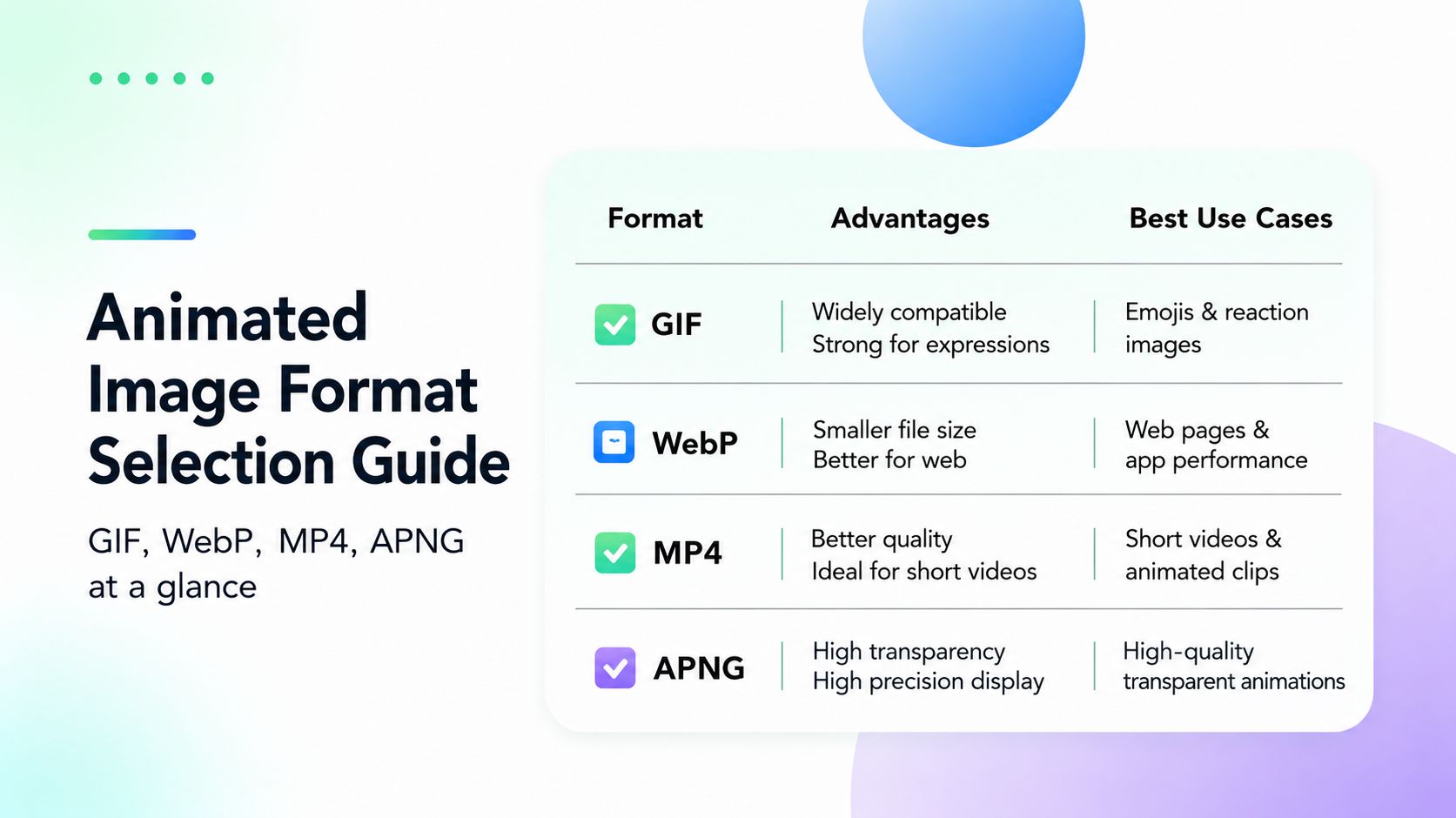
When scrolling social media, browsing websites or sending chat memes, animated visuals have become a core part of online content. Yet many users run into common headaches: identical animations that lag while loading, appear blurry, or fail to display at all after sending. The root cause is simple — picking the wrong animated format.
There are four mainstream animated image formats used online: GIF, animated WebP, MP4 and APNG. They vary drastically in image quality, file size and compatibility, each suited for distinct scenarios. Today, combined with the practical ROCKIMG conversion tools, we will thoroughly break down the pros, cons and applicable use cases of these four formats, helping you pick the right one and avoid failed animation displays.
Need to switch formats? ROCKIMG runs eight animated conversion tools free in your browser — no upload required.
Browse Conversion ToolsFull Comparison of the Four Mainstream Animated Formats
No single animated format is perfect; the best choice depends on your usage scenario. Below is a clear breakdown of their core differences across four dimensions: compatibility, image quality, file size and functionality.
GIF: The All-Purpose Classic Format
GIF boasts the highest market penetration and is the most familiar animated format for ordinary users. Its biggest strength lies in unparalleled compatibility. It works flawlessly on outdated browsers, all messaging apps, email clients and forums, supports direct pasting as images, and requires zero technical barriers for sharing.
However, it has obvious drawbacks. Capped at a 256-color palette, GIFs suffer from unnatural color gradients and fuzzy visuals, unable to deliver crisp high-definition effects. They also come with large file sizes that slow down webpage loading, and lack full Alpha transparency, leaving unsightly white or black borders around transparent areas.
GIF is only ideal for short memes, reaction stickers and simple looping animations for daily casual chats, and unsuitable for professional design scenarios.
Animated WebP: The Lightweight Champion for Modern Websites
Developed by Google, animated WebP is a modern format optimized specifically for web distribution. Its standout feature is ultra-high compression efficiency: at equivalent visual quality, its file size is far smaller than GIF, drastically speeding up loading on websites and mobile apps. It supports 24-bit true color and full Alpha transparency, delivering richer color rendering and clean transparent backgrounds with vastly superior visual quality compared to GIF.
Its only limitation is restricted compatibility. Older browsers and legacy software may only render a static first frame or fail to load the animation entirely. Decoding WebP also consumes slightly more CPU resources than GIF.
It is perfectly suited for official website animations, mobile app assets, e-commerce page motion graphics and other scenarios prioritizing fast loading speeds and premium visuals.
MP4: Video-Grade Format Balancing Quality and Practicality
Though originally a video format, MP4 has become a staple for animated content. It delivers top-tier video-level clarity with smooth color transitions, offering the smallest file size among the four formats with maximum compression performance. Unlike pure image-based animations, MP4 supports audio tracks, playback scrubbing and pause functions, granting exceptional editability for secondary creation.
Its downside is limited cross-platform adaptability. Most environments require custom code to enable auto-loop playback, and many messaging platforms classify MP4 as videos rather than images, blocking direct pasting as stickers.
It works best for lengthy animation clips, audio-equipped short videos and social media short-form content such as Reels and Shorts that require narrative motion with sound.
APNG: Professional High-Definition Lossless Animation Format
APNG acts as a high-definition upgrade to GIF, prioritizing exceptional visual fidelity. It supports 24-bit true color and 8-bit Alpha transparency, delivering far sharper details and smoother transparent effects on high-resolution monitors with no jagged edges or color banding.
Its main flaw is inefficient compression: some APNG files end up larger than equivalent GIFs, plus poor compatibility with legacy devices and email clients that often cannot play them properly.
Targeted at high-precision display needs, it fits refined transparent web animations, product demo footage and high-resolution UI motion graphics for professional design work.
Comparison Table of Four Common Online Animated Formats
| Format | Advantages | Disadvantages | Recommended Use Cases |
|---|---|---|---|
| GIF | Unmatched compatibility; supported by nearly all platforms, chat apps and email clients; pasteable as images directly | 256-color limit causes poor image quality; large file sizes; no full Alpha transparency | Short memes, reaction graphics, simple looping animations |
| Animated WebP | Extremely high compression ratio (far smaller size than GIF); 24-bit true color + full Alpha transparency; well-supported by modern browsers | May only show a static frame or fail to play on outdated software/browsers; higher CPU consumption during decoding than GIF | Modern website animations, mobile app assets, scenarios prioritizing fast loading |
| MP4 | Video-grade visuals with minimal file size; supports audio tracks, pause and playback scrubbing; standard video format easy to edit and reuse | Auto-loop playback requires custom code in most environments; some chat platforms treat it as video instead of images | Long animation clips, audio-enabled short videos, social media short reels (Reels/Shorts) |
| APNG | Premium image quality with 24-bit true color and 8-bit Alpha transparency; sharper display on modern high-res screens | Potentially large file sizes (sometimes bigger than GIF); weaker compatibility with legacy apps and email clients than GIF | Web animations requiring high-quality transparent backgrounds, high-precision animated displays |
ROCKIMG: All-in-One Solution for Format Conversion
Each format carries unique strengths and weaknesses, and cross-format conversion is frequently required to match different usage scenarios. ROCKIMG integrates eight core conversion tools covering all common format switches, enabling flexible animated format conversion without downloading any desktop software.
GIF Enhancement & Optimization
- GIF to WebP: Compress GIFs into WebP to cut file size and accelerate webpage loading.
- GIF to APNG: Upgrade GIFs to APNG to leverage full transparency for better display on modern screens.
- GIF to MP4: Convert GIFs into video files for social media sharing, audio addition and playback control.
Video & Modern Format Conversion
- MP4 to GIF: Turn video clips into widely compatible GIF memes for forums and instant messaging.
- MP4 to WebP: Transform videos into lightweight animated WebP, the top alternative to GIF for modern websites.
- WebP to MP4: Export animated WebP as MP4 footage for mixing and audio editing in video editors.
Compatibility Fallback Tools
- WebP to GIF: Convert WebP back to universal GIF when recipients cannot view WebP files.
- APNG to GIF: Ensure high-quality APNG animations play normally on legacy devices and incompatible platforms.
Core Tool Advantages: Efficient & Secure
ROCKIMG outperforms traditional conversion tools with three standout benefits:
- Full Privacy Protection: All file processing runs locally within your browser. No files are uploaded to remote servers, eliminating risks of asset leakage or data loss at the source.
- Intuitive Operation: Supports drag-and-drop uploads with one-click automatic conversion, accessible even for beginners.
- Wide Cross-Browser Support: Runs smoothly on mainstream modern browsers including Chrome, Firefox and Edge for universal access.
Conclusion
Choose GIF for daily social stickers, animated WebP for lightweight web motion graphics, MP4 for long audio-equipped animations, and APNG for professional high-definition transparent visuals. Master the logic of format matching, paired with the all-in-one ROCKIMG conversion toolkit, and you can effortlessly handle all animated image creation and conversion tasks to produce high-quality, universally compatible motion content efficiently.
Start converting — pick a tool and transform your animation in seconds.
Try GIF to WebP ConverterRelated Tools
- GIF to WebP — shrink GIF file size for faster web loading.
- MP4 to GIF — turn video clips into shareable GIF memes.
- GIF to MP4 — export GIFs as video for social media and editing.
- Stop GIF — pause a GIF and capture any frame as PNG.
- GIF Cropper — trim edges and resize animated GIFs.