
Common Social Media Banner Sizes and How to Make Them
Social banners are wide images, and each network wants a different pixel size. YouTube channel art should be 2560 × 1440. A Discord profile banner should be at least 680 × 240, and a Discord server banner should be at least 960 × 540. Twitch recommends a profile banner of 1200 × 480. The Twitter header, still used on X, is 1500 × 500. Uploading a square photo, or a 1920 × 1080 wallpaper, and hoping the site will crop it well usually hides the title or the subject.
ROCKIMG has a separate free tool for each of those files. YouTube Banner Size exports 2560 × 1440. Discord Banner Size exports either 680 × 240 or 960 × 540. Twitch Banner Size exports 1200 × 480 or a 1920 × 1080 player frame. Twitter Banner Size exports 1500 × 500. You drop in a photo, drag and zoom, then download a JPG or PNG. Processing stays in the browser.
Published on: September 26, 2026
Frame a photo as 2560 × 1440 channel art.
Open YouTube Banner SizeWhat size should each social banner be?
Match the export to the network before you place any text. The sizes below are the pixel sizes these tools write into the file. A banner made for one of them is the wrong shape for the others.
- YouTube, 2560 × 1440. This is the size YouTube recommends for channel banners, especially on TV. The smallest upload YouTube accepts for that art is 2048 × 1152, the same 16:9 shape. TV can show the full 2560 × 1440 image. Phones and computers usually show a shorter strip through the middle.
- Discord profile, 680 × 240. Discord’s help lists a profile banner of at least 680 × 240 pixels, as a PNG, JPG, or GIF under 10 MB. A custom profile banner requires Nitro. Older guides still say 600 × 240. The tool uses the current minimum, 680 × 240.
- Discord server, 960 × 540. A server banner should be at least 960 × 540, at 16:9. It is a different file from the profile banner. Uploading the short profile image will not fill a server header the same way.
- Twitch profile, 1200 × 480. Twitch recommends this size for the channel profile banner. If the picture is not 480 pixels tall, Twitch scales it to that height. A browser wider than the image can stretch it, so the important graphics belong on the left.
- Twitch offline player, 1920 × 1080. Viewers see a banner in the video player when the channel is offline. Twitch’s channel help describes that image and does not publish a pixel size for it. 1920 × 1080 is the 16:9 full-HD frame of the player, which is what the Twitch tool exports in that mode. It is not a size copied from a Twitch spec sheet.
- Twitter / X, 1500 × 500. The header is a 3:1 image. X still uses this Twitter header size. The profile photo covers the lower-left corner. Some phone layouts also crop a little off the top and bottom.
How do you make a YouTube banner at 2560 × 1440?
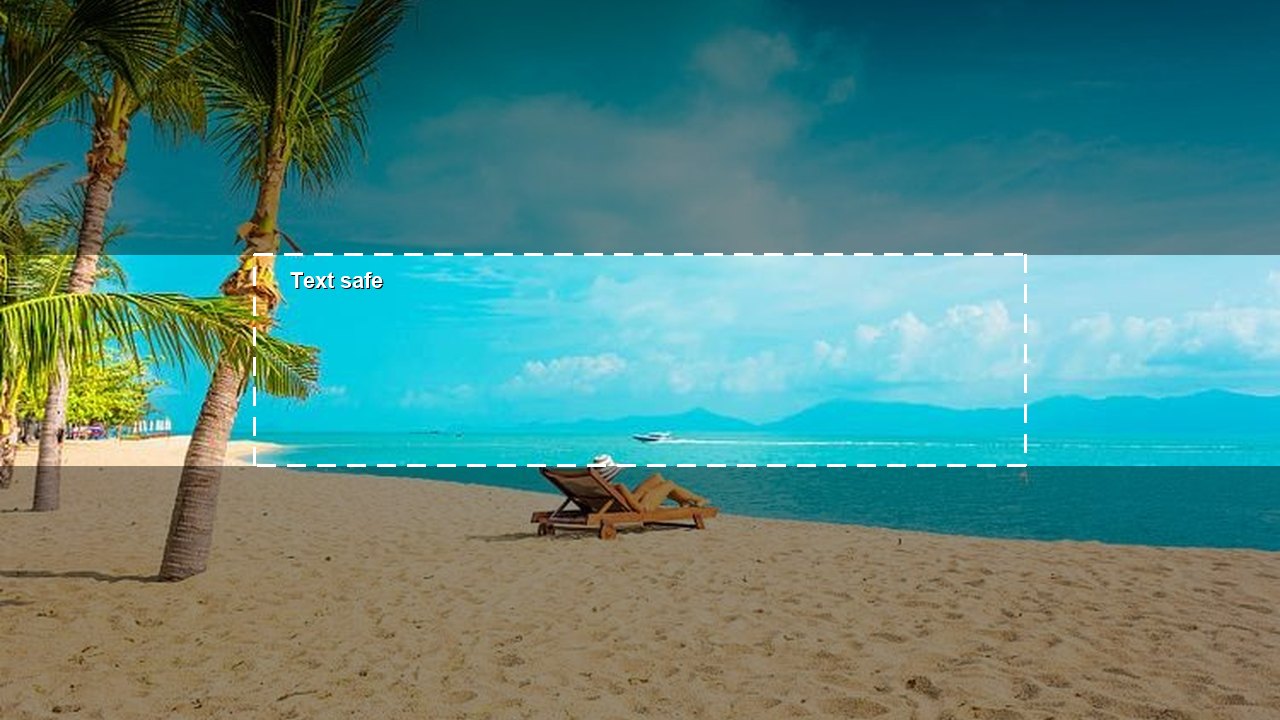
Open YouTube Banner Size, upload the photo, and keep titles inside the dashed box labeled Text safe. The download is exactly 2560 × 1440 pixels.
YouTube’s text-and-logo safe area is 1235 × 338 pixels on the minimum banner of 2048 × 1152. On a 2560 × 1440 file that is the same proportion, centered. The dashed box is that region. TV can show the full frame, including the shaded bands. Phones and computers usually hide those bands, so a channel name placed there can disappear. In the beach crop, the chair sits in the lower band. Scenery can live there. The name should sit in the clear middle strip.
The steps are short:
- Upload a JPG, PNG, WebP, or GIF. A GIF uses the first frame, so the download is a still image.
- Choose Fill to cover the whole 2560 × 1440 frame, or Fit to show the entire photo on a background color you pick.
- Drag the photo. Move Zoom until the subject sits where you want it. Zoom runs from 20% to 300% of the Fill or Fit scale, and the center of the picture stays put while you zoom.
- Keep titles and logos inside Text safe.
- Click Create, then download JPG or PNG.
The guide is only on the preview. Create does not draw the dashed box or the shade into the file. If you drag again after Create, download stays off until you click Create once more. YouTube asks you not to add a border around channel art. The JPG is reduced automatically if it would be over 6 MB. A small source is enlarged to 2560 × 1440 and can look soft.
How do you make a Twitter header at 1500 × 500?
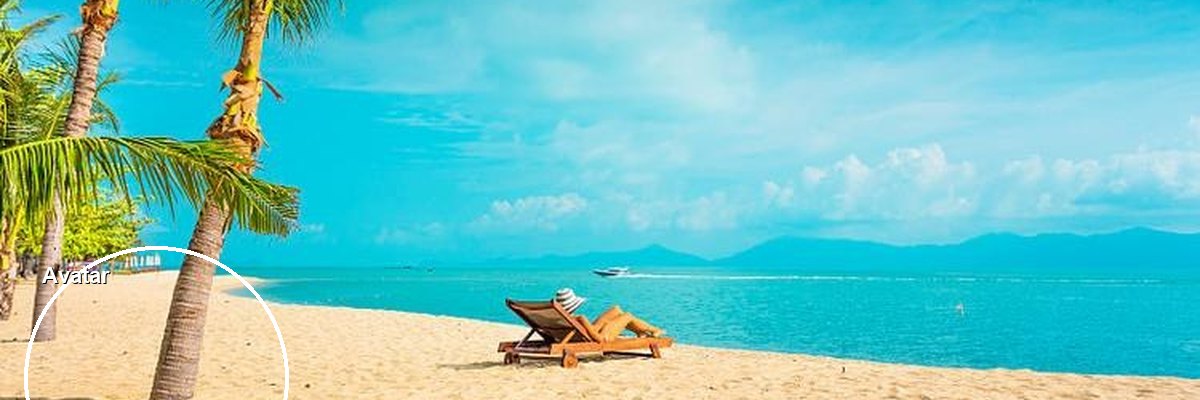
Open Twitter Banner Size and export a 1500 × 500 image. Keep text out of the lower-left circle and toward the center of the header.
The circle marked Avatar is a preview of the profile photo overlap. X does not publish an exact pixel box for that overlap, so the circle is a reminder, not an official crop. It is not saved in the file. Narrow screens can also trim the top and bottom slightly, which is another reason to keep a channel name near the middle rather than on the top edge.
Choose Fill to cover the 3:1 frame, or Fit to show the whole photo on a background color. Drag, zoom, click Create, then download. The file name ends in -twitter-banner. The JPG is reduced automatically if it would be over 2 MB. PNG stays lossless, which is the better pick for type. X does not animate a GIF header, and this tool already keeps only the first frame.
How do you make a Discord banner at 680 × 240 or 960 × 540?
Open Discord Banner Size and pick Profile or Server before you crop. Profile downloads 680 × 240. Server downloads 960 × 540. The hint under the preview and the output size both change when you switch.
On a profile banner, the circle marked Avatar sits at the lower left, where the profile picture usually covers the image. Discord does not publish an exact pixel box for that overlap. The circle is a preview only. You can hide it with the layout guide if you want to judge the photo alone. A server banner does not show that circle, because the server image is the full 960 × 540 frame.
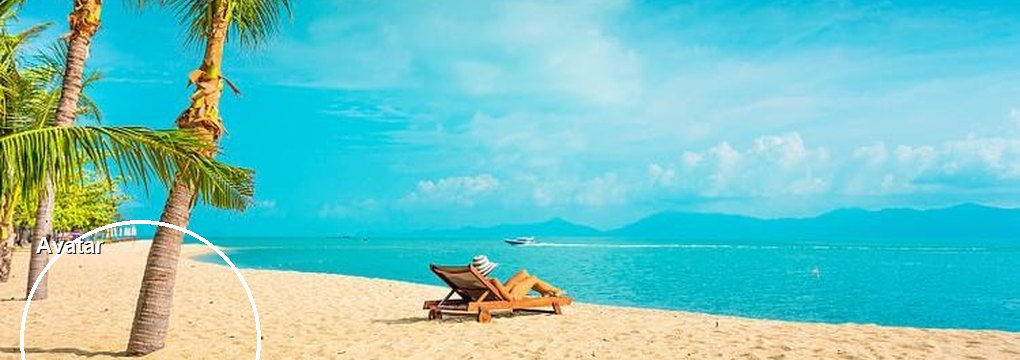
680 × 240 is a short strip, about 2.8 times as wide as it is tall. A subject centered in a normal photo often lands under the avatar. Drag it toward the right half, then look at the circle before Create. The server banner is 16:9 and is a different file. Switching the button does not resize a file you already created, so click Create again. Custom profile banners on Discord require Nitro. The JPG is reduced automatically if it would be over 10 MB. Profile files end in -discord-profile-banner. Server files end in -discord-server-banner.
How do you make a Twitch banner at 1200 × 480?
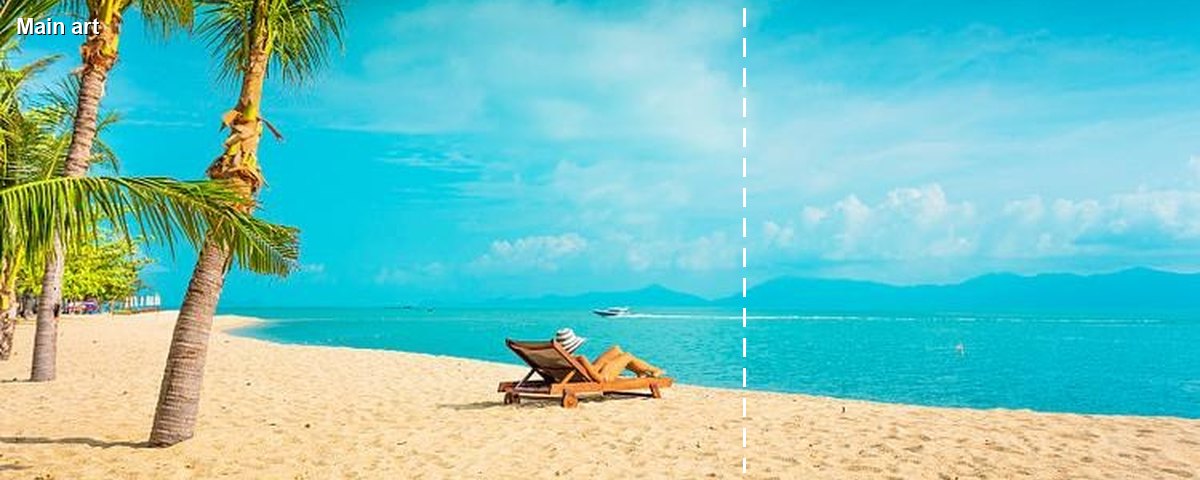
Open Twitch Banner Size, choose Profile, and keep the main graphics on the left side of the dashed line. The profile download is 1200 × 480.
Twitch scales a profile banner to 480 pixels tall. A window wider than the picture can stretch that image across the page, which is why titles and logos should sit toward the left instead of in the middle of a centered composition. The dashed line labeled Main art is a preview reminder of that left side. It is not a crop box Twitch publishes, and it is not written into the file.
The Video player button exports 1920 × 1080 for the image viewers see when the channel is offline. The lower-left circle labeled Offline marks where that label usually sits. Keep text out of it. The mark is preview-only, and Twitch does not publish 1920 × 1080 as the banner size. The tool uses it because it matches the 16:9 player. The JPG is reduced automatically if it would be over 10 MB. Profile files end in -twitch-profile-banner. Player files end in -twitch-player-banner.
How do you turn one photo into all four banners?
Run the same photo through each tool. Do not resize one download in a separate editor and upload it everywhere. Each tool sets an exact pixel size, and each network covers a different part of the picture.
- Pick the photo. A landscape with open space on the left and in the center is easier to crop than a tight portrait.
- Make the YouTube file first if the channel name has to survive on a phone. Park that text in the safe strip.
- Make the Twitter header next. Slide the subject so it is not under the avatar circle, and keep the name near the center.
- Make the Discord profile banner. The strip is shorter than the Twitter header, so you will zoom in or accept more crop, and you should leave the lower left clear.
- Make the Discord server banner only if you need the 16:9 server image. It is not a scaled copy of the profile banner.
- Make the Twitch profile banner and put the logo on the left of the Main art line. Make the 1920 × 1080 player image only if you use an offline screen.
- Download each file before you refresh the tab. Refreshing clears the photo.
Use Fill when the photo should bleed to every edge. Use Fit when cutting off a logo would ruin the picture, and set the background color first. Zoom keeps the current center stable. Drag is how you re-aim the frame.
Which file type should the banner download use?
Use JPG for photographs and PNG for flat color, logos, and small type. JPG quality drops only when the file would pass the limit for that network: 6 MB on YouTube, 2 MB on the Twitter header, and 10 MB on Discord and Twitch. PNG is not reduced.
- Leave YouTube channel art without a frame. YouTube’s guidance says to keep the edges clean.
- Keep the only copy of a title out of the avatar corner on Twitter and on a Discord profile banner.
- Treat 1920 × 1080 as this tool’s player frame, not as a size Twitch publishes.
- Expect a still image from a GIF. These tools keep the first frame, and X does not animate a GIF header.
- Download on your device, then upload the file in the network’s own banner settings.
Once the sizes are separate files, upload each one in the matching profile or channel settings. A YouTube banner, a Discord profile banner, a Twitch profile banner, and a Twitter header can all come from one photo. They should not be the same rectangle.
Crop the same photo to a 1500 × 500 header.
Open Twitter Banner Size